Cloud storage for video creators: what 3 TB costs and how to keep it sorted
Prices for storing 3 TB of video with seven services, checked on their own pages, plus the folder layout and the 3-2-1 backup rule that keep footage findable and safe.
Footage
- RAW
- 2026-11-18 Kitchen tour
- interview
- openings
- call to action
- b-roll
- 2026-11-21 Studio Q&A
- 2026-11-18 Kitchen tour
- EDITS
- 2026-11-18 Kitchen tour
- main-reel.mp4
- opening-b-trial.mp4
- opening-c-trial.mp4
- 2026-11-18 Kitchen tour
- style-sheet.pdf
3-2-1
- Copy 1: working driveThe cloud folder you and your editor use every day
- Copy 2: a second cloudA different company, synced or backed up on its own
- Copy 3: a hard driveAt home, plugged in to update at least once a month
The short answer
For about 3 TB of video in November 2026: Backblaze B2 costs about $21 a month, Google One’s 5 TB plan $19.99 and iCloud+ 6 TB $29.99. Frame.io Pro costs $15 a month for each person and holds 2 TB, plus 2 TB for each extra person. Google’s and Dropbox’s 2 TB plans are too small.
Whichever you pick, keep three copies on two kinds of storage with one away from home, and sort footage by shoot, then by the kind of take. That is the 3-2-1 rule plus a folder layout any editor can follow.
On this page
How much space your footage needs
It depends mostly on the format your camera records. Apple’s figures for its Final Cut Camera app on iPhone give a useful range:
| Format | One minute | One hour | Hours in 3 TB |
|---|---|---|---|
| 4K, 30 fps, HEVC | More than 175 MB | About 10.5 GB or more | Up to about 285 |
| 4K, 30 fps, ProRes 422 HQ | More than 6.6 GB | About 396 GB or more | Up to about 7.5 |
Apple says ProRes files are “up to 30 times larger than HEVC files.” Most creators who film on a phone record HEVC. At that rate, three hours of raw footage a week comes to about 1.6 TB a year. Creators who film in ProRes or on cameras fill space much faster. Source With Jordan’s drive holds 17,607 files in 2.85 TB.
The hour and 3 TB figures are our arithmetic from Apple’s per-minute numbers, which Apple gives as minimums.
What 3 TB costs
Prices from each company’s own pricing page, in US dollars, checked on 20 Nov 2026. Where a plan only comes billed yearly, the table says so.
| Service and plan | Storage | Price | Best for |
|---|---|---|---|
| Backblaze B2 | Pay per TB | $6.95 per TB a month, so about $21 for 3 TB | A cheap second copy |
| Backblaze Personal Backup | Unlimited, one computer and its drives | $9 a month or $99 a year | Backing up a computer and plugged-in drives |
| Google One, 5 TB plan | 5 TB | $19.99 a month or $199.99 a year | A working drive on a budget |
| Frame.io Pro | 2 TB, plus 2 TB for each extra person | $15 a month for each person | Sharing edits and notes with an editor |
| Dropbox Standard | Starts at 3 TB for the team | $15 a month for each person, billed yearly | A shared team folder |
| Google Workspace Business Plus | 5 TB for each person, shared | $22 a month for each person | A business already on Google Workspace |
| iCloud+ 6 TB | 6 TB | $29.99 a month | Creators who work only on Apple devices |
Two notes on the cheaper options. Backblaze B2 lets you download up to three times what you store each month at no charge, then charges $0.01 per GB. Backblaze Personal Backup keeps 30 days of versions by default and needs an external drive plugged in at least once every 30 days, or that drive’s backup can be removed.
Which one to pick
Most creators need two different things, and one service rarely does both well:
- A working drive that you and your editor open every day. It needs fast sharing, previews and comments. Frame.io is built for this. Google and Dropbox work if your editor already uses them. Frame.io Pro for you and one editor costs $30 a month for 4 TB.
- A second copy at a different company. You hope never to open it, so it needs to be cheap and reliable. Backblaze B2 at about $21 a month for 3 TB fits, and so does Backblaze Personal Backup if your footage lives on one computer.
Editors working from home often use proxies: small copies of your clips that upload and play faster. Frame.io describes proxies as files “used in place of camera original files” that “may be smaller, lower resolution, or in a different codec.” Keep the originals in your drive and let the editor work from the proxies.
The 3-2-1 backup rule
CISA, the US government’s cybersecurity agency, puts it this way: keep “3 copies of important files,” on “2 different types of storage media (like a hard drive and the cloud),” with “1 copy stored off-site.” Backblaze adds that the off-site copy should ideally be “more than a few miles away” from the other two.
For a creator, that looks like this:
- Copy 1: the working cloud drive your editor uses.
- Copy 2: a second cloud from a different company, such as Backblaze, updated on its own every day.
- Copy 3: an external hard drive at home, plugged in at least once a month to catch up.
Two clouds from different companies protect you from a locked account or a deleted shared folder, which a second folder in the same account does not. Source With Jordan’s footage sits in two clouds from different companies: a private drive sorted by shoot, and the Google Drive it was first uploaded to.
How to sort your footage so anyone can find it
Frame.io’s workflow guide says to decide your file naming “before a single piece of footage is even shot,” and that folders “should logically guide users to existing files, and indicate where new files should be put.” For reels, that comes down to four rules:
- One folder per shoot, named with the date first:
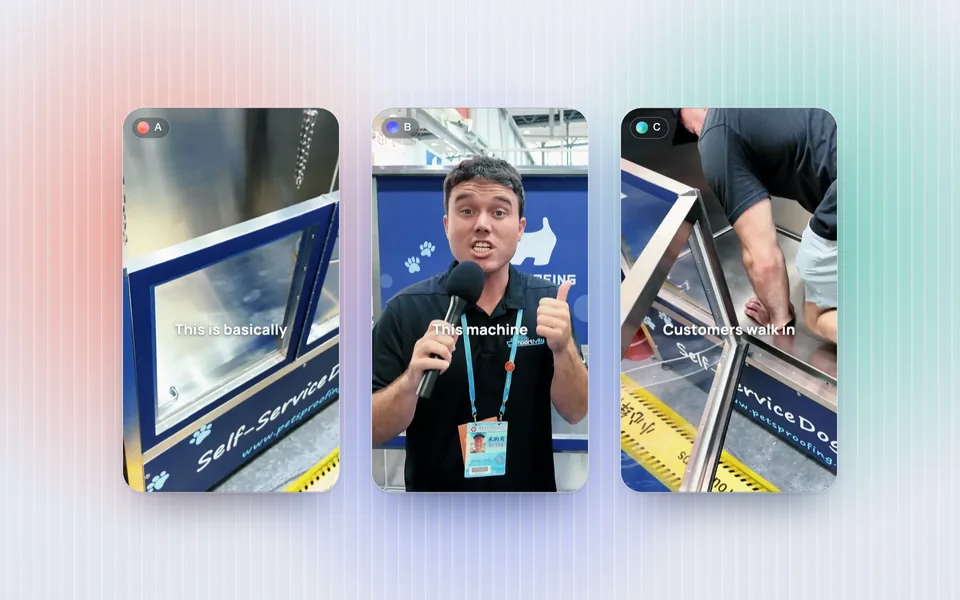
2026-11-18 Kitchen tour. Dates first means folders sort in order on every computer. - Inside it, one folder per kind of take: interview, openings, call to action, b-roll. An editor cutting new openings for a trial reel test finds every recorded opening in one place.
- Edits go under the same shoot name in a separate EDITS folder, with the version in the file name:
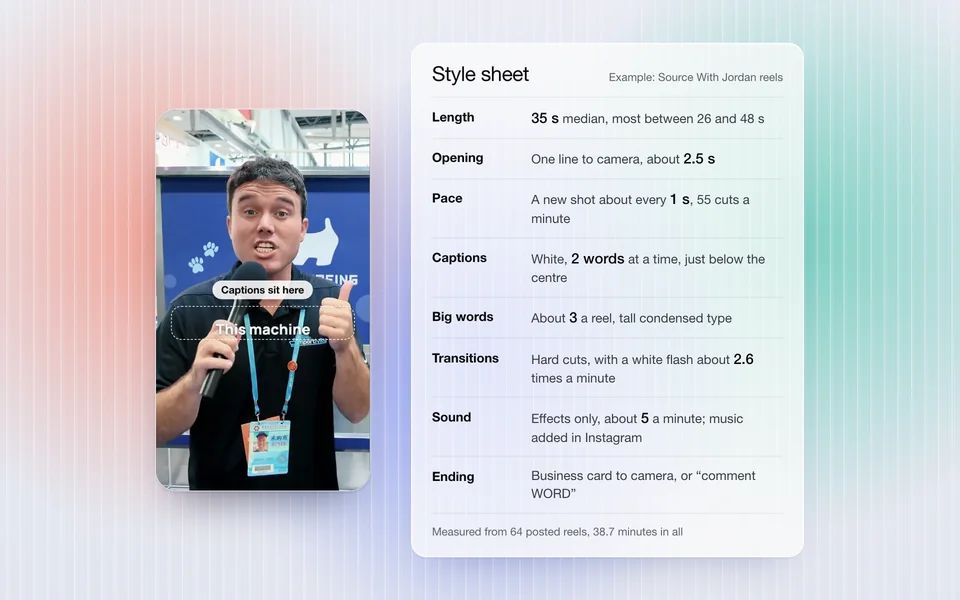
main-reel,opening-b-trial. - Your style sheet sits at the top, so every editor starts from it. Our guide to hiring a reels editor shows what goes on one.
Source With Jordan’s drive uses the same idea at a larger size: raw footage by event and shoot day, then by location and the kind of take, and edits sorted by event and shoot. That is how its 673 posted reels can each be matched back to the raw files they came from.
Keeping every raw take pays off later. The openings you didn’t use in a reel are the first place to look when you want new openings to test as trial reels.
Questions people ask
What is the best cloud storage for video editors?
For sharing clips and notes with an editor, Frame.io is built for the job: its Pro plan is $15 a month for each person, with 2 TB plus 2 TB for each extra person. For a cheap second copy, Backblaze B2 costs $6.95 per TB a month. Most creators use one of each.
Is Google Drive good for storing video?
It works as a working drive, and Google One’s 5 TB plan costs $19.99 a month. Keep a second copy at a different company, so a problem with your Google account doesn’t take all your footage with it.
How much storage do I need for 4K video?
Apple says one minute of 4K at 30 fps in HEVC may use more than 175 MB, about 10.5 GB an hour. In ProRes 422 HQ it is more than 6.6 GB a minute. Check your camera’s format before you buy storage.
Should I keep raw footage after a reel is posted?
Yes, if you can afford the space. Unused takes give you new openings to test and material for later reels, and a second copy costs about $7 per TB a month at Backblaze B2.
Is one external hard drive enough?
No. A single drive is one copy in one place. The 3-2-1 rule asks for three copies, on two kinds of storage, with one kept off-site.
Sources
- CISA, Back up business data.
- Backblaze, The 3-2-1 backup strategy, 23 May 2024.
- Backblaze, B2 pricing, Personal Backup pricing, version history and external hard drives.
- Google, Google One plans and Workspace pricing.
- Dropbox, plans.
- Frame.io, pricing, C2C proxy workflow guide and Workflow Guide: file naming.
- Apple, iCloud+ plans, Final Cut Camera video formats and ProRes on iPhone.
- Second Take’s records of the Source With Jordan drive: 17,607 files, 2.85 TB, 673 posted reels matched to their raw files.